Write a day note
- Open the app home screen.
- Select the date the note is for, or leave it as today's date.
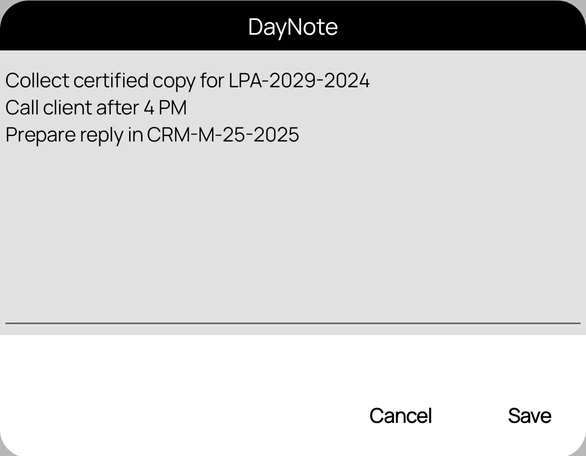
- Tap DayNote in the top toolbar.
- Type your note, then tap Save.
Open DayNote again on the same date to read or change the note.
Availability: DayNote appears only when day notes are available on your account.
See your note on the home screen
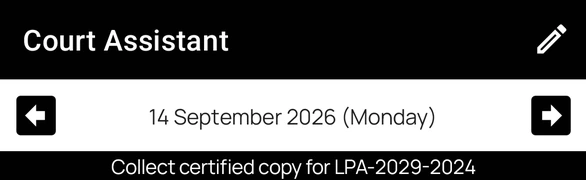
After you save, the note is shown just below the date on the home screen. Only the first line is shown; tap the note to see all of it, and tap again to collapse it.
Move to another date with the arrows to see that day's note.
Day notes or case notes?
- Use a day note for things tied to a date, such as collecting a file from opposite counsel or calling a client.
- Use a case note for things that belong to one case, such as arguments or directions from an order.