Where you see the counts
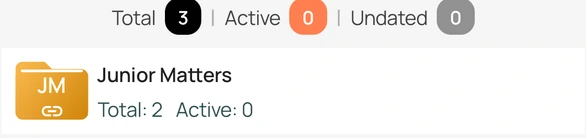
- The top of Cases shows Total, Active, and Undated for all your folders together.
- Each folder shows its own Total and Active.
What each number means
- Total: every case in the folder or in all folders.
- Active: cases that are still pending or reserved, or that have a next date today or later. A case is not counted as active when its connected matter has been allowed or dismissed.
- Undated: active cases that have no future date yet, because the next date is today or has already passed. These are worth checking so a hearing is not missed.
Counts use today's date and update when the case list refreshes. Pull down on the list to refresh.
Show only these cases
Use Filter on the Cases screen and choose Active Cases or Undated Cases to list only those cases.