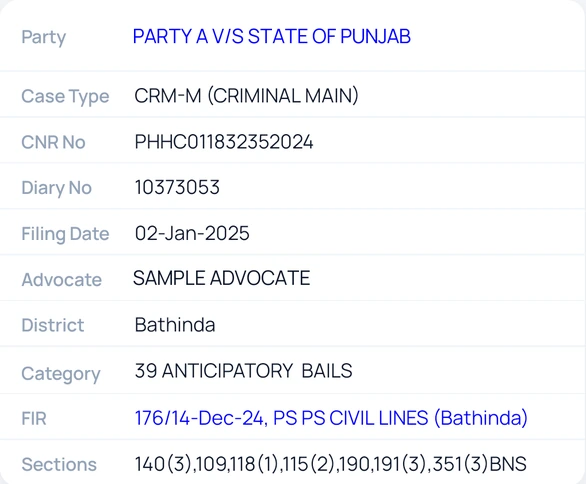
Copy a detail
- Open a case from a folder, search, or the cause list.
- Press and hold a value, such as the CNR No, Diary No, Advocate, or FIR, for about half a second.
- Release. The value is copied, ready to paste into a message or document.
Newer phones show their own "Copied" notice. On older phones Court Assistant shows "Copied to clipboard".
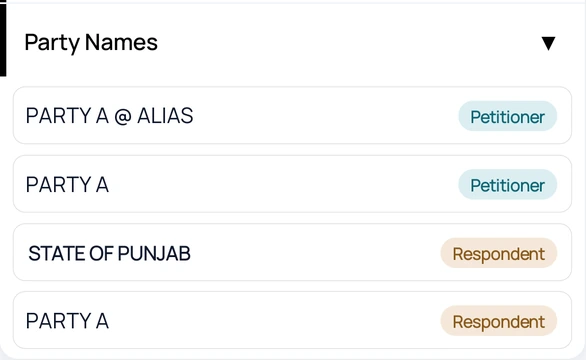
See all parties
- Tap the Party value (shown in blue).
- Party Names opens with each party marked as Petitioner or Respondent.
Party names are available for courts that publish them. If none are found you will see "No party details found."
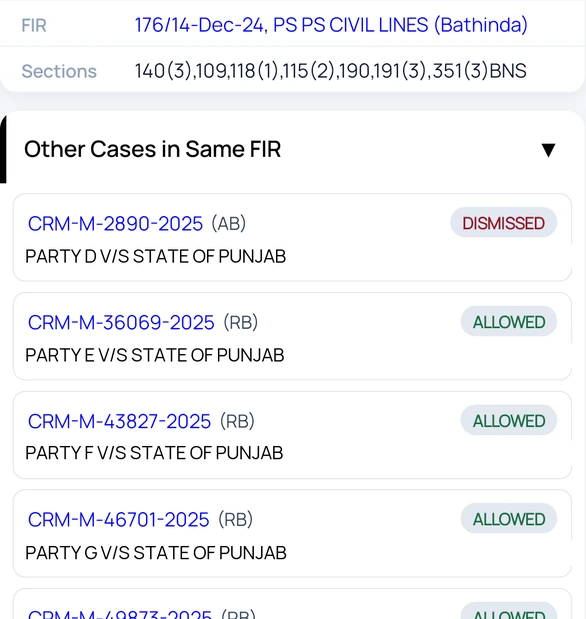
Find other cases from the same FIR
- Tap the FIR value (shown in blue).
- Other Cases in Same FIR lists the matching cases with their status.
- Tap a case number to open that case.
Availability: FIR-linked cases are available for Punjab & Haryana High Court and District Court cases, with a daily limit that depends on your plan.